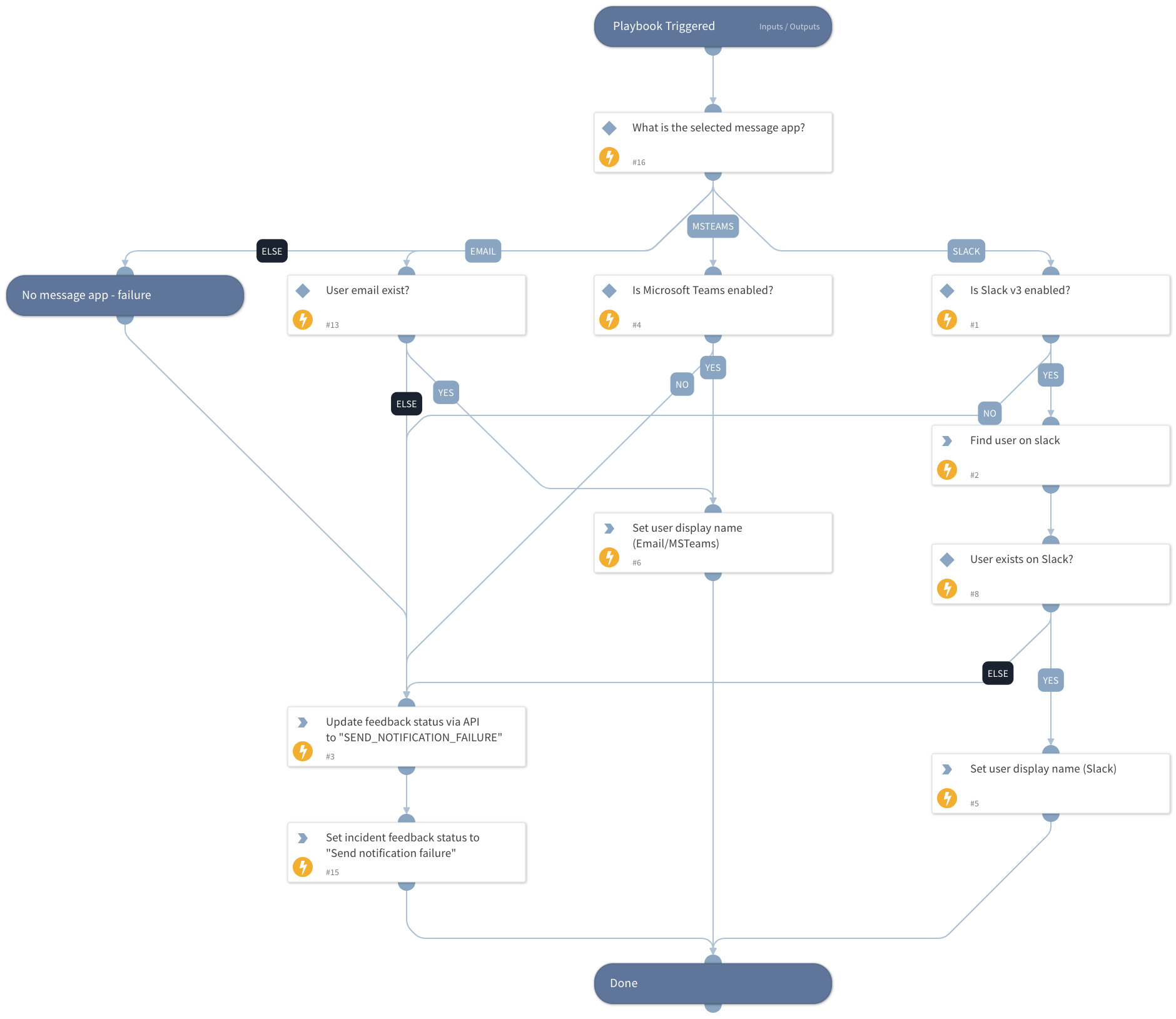
DLP - User Message App Check
This Playbook is part of the Enterprise DLP by Palo Alto Networks Pack.#
Supported versions
Available on Cortex XSOAR (versions 6.8.0 and later) and Cortex XSIAM.
Check if the given message app exists and is configured and retrieve the user details from it.
Dependencies#
This playbook uses the following sub-playbooks, integrations, and scripts.
Sub-playbooks#
This playbook does not use any sub-playbooks.
Integrations#
- SlackV3
- Palo_Alto_Networks_Enterprise_DLP
Scripts#
- IsIntegrationAvailable
- Set
Commands#
- pan-dlp-update-incident
- setIncident
- slack-get-user-details
Playbook Inputs#
| Name | Description | Default Value | Required |
|---|---|---|---|
| UserEmail | The user email address that will be used through email communication in case both Slack and MS Teams are not enabled. | Optional | |
| UserDisplayName | The display name of the user. Will be used in case MS Teams or Email are the message app. | Optional | |
| UserMessageApp | The communication method with the user. Can be one of the following: - Slack - Microsoft Teams If you choose to set "Email", it's also possible to set the relevant email integration instance with the "SendEmailInstance" input. | Optional |
Playbook Outputs#
| Path | Description | Type |
|---|---|---|
| user_display_name | The user display name. | unknown |
| Slack.User | The user name returned from Slack. | unknown |
Playbook Image#