TIM - Process Azure indicators
This Playbook is part of the Azure Feed Pack.#
Supported versions
Available on Cortex XSOAR (versions 5.5.0 and later) and Cortex XSIAM.
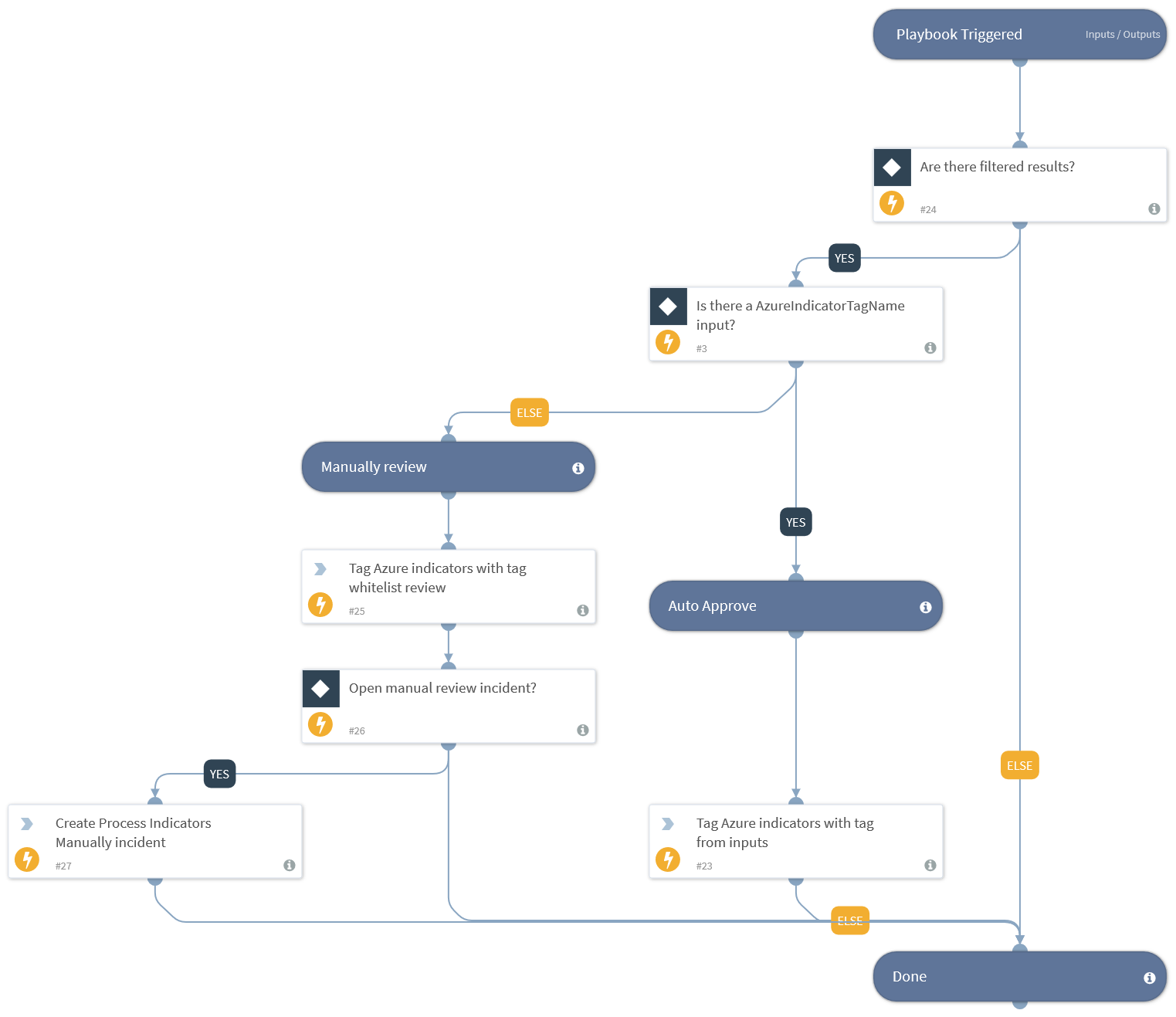
This playbook handles the tagging of Azure indicators. Specify the tag to apply to these indicators in the playbook inputs. An example tag will be approved_allow. If no inputs are specified, the indicators will be tagged for manual review. The user can specify whether a manual review incident is required.
Dependencies#
This playbook uses the following sub-playbooks, integrations, and scripts.
Sub-playbooks#
This playbook does not use any sub-playbooks.
Integrations#
This playbook does not use any integrations.
Scripts#
This playbook does not use any scripts.
Commands#
- createNewIncident
- appendIndicatorField
Playbook Inputs#
| Name | Description | Default Value | Required |
|---|---|---|---|
| AzureIndicatorTagName | Use this input to define which tag to apply to Azure indicators. An example tag can be allowlist_review. If no tags are specified in the input, the tag allowlist_review will be used. | Optional | |
| Indicator Query | Indicators matching the indicator query will be used as playbook input | sourceBrands:AzureFeed | Optional |
| OpenIncidentToReviewIndicatorsManually | This input determines if processed indicators that have the allowlist_review tag are reviewed in a new incident. To create an incident, enter any value other than 'No'. | No | Optional |
Playbook Outputs#
There are no outputs for this playbook.
Playbook Image#