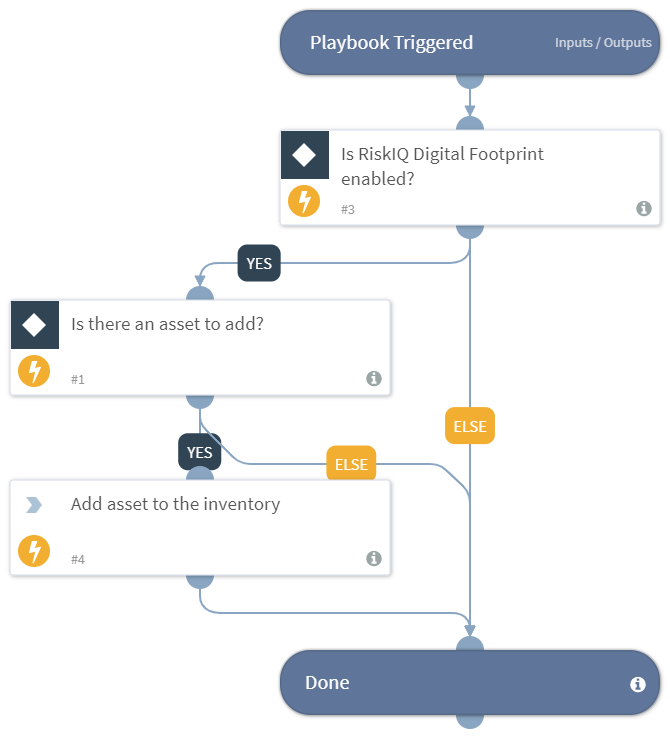
Auto Add Assets - RiskIQ Digital Footprint
This Playbook is part of the RiskIQ Digital Footprint Pack.#
Supported versions
Available on Cortex XSOAR (versions 6.0.0 and later) and Cortex XSIAM.
This playbook automatically adds the provided asset(s) to the RiskIQ Digital Footprint inventory according to the values provided. Use this playbook as a sub playbook and loop over each asset in the asset list in order to add multiple assets. Supported integration:
- RiskIQ Digital Footprint
Dependencies#
This playbook uses the following sub-playbooks, integrations, and scripts.
Sub-playbooks#
This playbook does not use any sub-playbooks.
Integrations#
- RiskIQ Digital Footprint
Scripts#
This playbook does not use any scripts.
Commands#
- df-add-assets
Playbook Inputs#
| Name | Description | Default Value | Required |
|---|---|---|---|
| assets_to_add | The list of asset(s) to be added. The list should have some specific keys used in this playbook and this playbook should be used as a sub playbook in a loop in order to add multiple assets. Example of the list: [{"Asset Name": "asset1", "Asset Type": "Domain", "Should the asset be added? Yes or No": "Yes"}] | Required | |
| server_url | The XSOAR server URL to attach with the added asset. | Optional |
Playbook Outputs#
There are no outputs for this playbook.
Playbook Image#